|
|

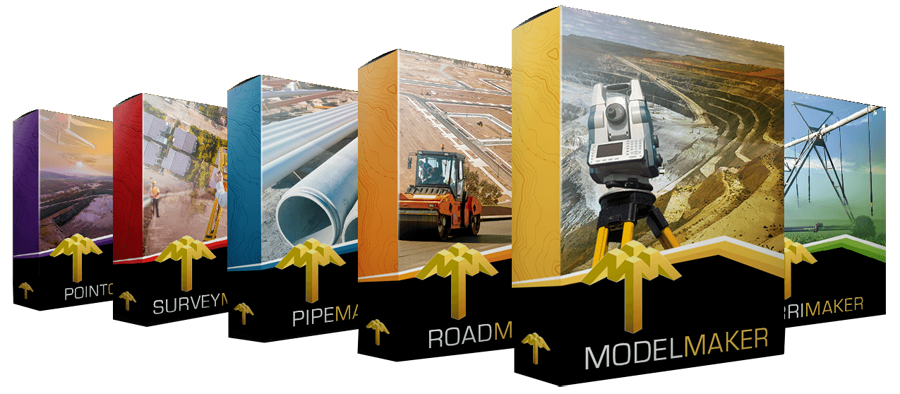
Model Maker
Model Maker is a digital terrain modelling
program and the most advanced in the Model Maker Systems software suite.
The program consists of 21 modules, which are available in four
different versions of the program. The versions are determined by the
number of survey points that each can model. This modular design gives
users access to only those features required for their specific
application and thereby reducing the cost of the software.
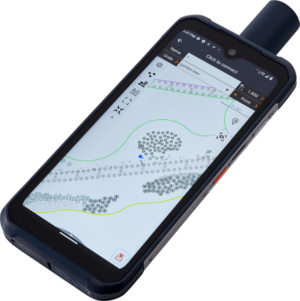
Provision is made to input data manually using any survey method,
importing data from electronic data recorders or GPS systems and from
various fixed and free format ASCII files. Data can also be captured
from existing drawings using the built-in digitizing option.
In addition, a facility exists to survey new data or to use an existing
model to do real-time setting out work on site by connecting a notebook
to an electronic survey instrument in the field.
The model is created using a fast automatic triangulation routine with
or without parameters. After the DEM model is created the user still has
full control over the various functions provided for editing the model
graphically. Contours and triangulation is edited in real time either
manually or electronically to defined break lines.
Once the model is created various calculations may be done, e.g. four
methods of calculating volumes, extracting long or cross sections, slope
and watershed analyses, three-dimensional viewing, area (plan and
surface) and perimeter calculations, automatic toe point generation for
platforms, mine planning, rehabilitation (landscaping) of excavations
and stockpiles, 3D-Mass Haul planning, power line templating, earth dam
design, irrigation design and almost anything in between.
Output of results may be printed or saved in a file and drawings may be
plotted directly to any HPGL-compatible plotter, plot file or various
CAD data exchange (DWG,DXF,DGN etc.) and various ASCII formats.
MODEL MAKER MODULES
Why modules? - So that each
user can customize his own package and thus
saving cost by not having to buy un
necessary/unused software functionality.
To see a list of minimum requirements, click
here
for a pdf download
Module 1 -
BASIC DATA INPUT AND
MODELLING
|
Required
Modules (Suggested Modules)
|
This module is used to
manipulate co-ordinate data from various sources by
automatically creating a triangulated terrain model.
This triangulated model can then easily be
edited to display geographical contours. The
contour intervals and labelling positions can
easily be changed and manipulated. The
user can use break lines to define valley and
ridge positions upon which the software will
automatically adjust the triangle model to the
correct scenario. Data can be edited
graphically or in text mode. The user has full
control over the triangulation process with real
time triangle editing tools that give live
feedback as you work.
|
Module 2 -
GRAPHICAL OUTPUT
|
Required Modules: 1 (6)
|
|
|
This module is required for any graphical
output. The output is determined by using an
extensive range of user-definable plotting
parameters and the graphical setting of plotting
windows covering the total project area.
Contours, survey point information, co-ordinate
grids and CAD data can be plotted. Plotting can
be done directly to any Microsoft Windows®
printer/plotter driver as well as the following
electronic formats: DWG, DXF, DGN, SHP, TXT,
PNG, JPG, TIF, CEX, DRW, MOSS, GENESIS
|
Module 3 -
SINGLE MODEL VOLUMES,
ANALYSIS AND EXTRACTION OF SECTIONS
|
Required Modules: 1,2 (6)
|
When
dealing with stockpiles or quarries (single
surface models) this module
can be used to calculate the earthworks volumes
using contours, triangles or cross-sectional
areas. The analysis function calculates the
sloped surface area, as well as plan area. Slope
analysis is performed by colouring the terrain
with different colours depending on the degree of
steepness. Height analysis can be performed by
also using colouring indicating the differences
in elevation across a terrain model. Valley analysis
is performed by indicating watershed lines and
valley positions indicating water runoff
patterns. Long-section
or cross-section data is extracted along a
horizontal alignment which can be defined on the
graphic screen or can be captured from CAD
entities. These data values are recorded to a
text file for use with other modules.
|
Module 4 -
TOEPOINT AND
MULTIPLE MODEL EARTHWORKS CALCULATION
|
Required Modules: 1,2 (6)
|
Model
Maker can be used to simultaneously model up to 21
DTM (digital terrain models) surfaces.
Calculations can then be performed between any
two of theses surfaces. Where the
designed surface (second surface) is a terrace that must meet the
ground model (the first surface) at specified batter slopes, MODEL
MAKER will automatically determine these toe points on the ground. The terrace level
can be automatically re-elevated in order to
balance the cut and fill earthworks. Bulking and
compaction is also taken into consideration as
well as batter slopes. Once the two models have been created,
the earthworks volume can be calculated using
cross-sections or a more accurate grid method.
|
Module 5 -
PERSPECTIVE (3D) VIEWS
|
Required Modules: 1,2,6
|
Use
this module to view the active model from any
side at a vertical angle in a wire-frame grid or
solid triangle fill format. Contours at a user-specified
interval can be displayed and the full view can
be converted to the CAD environment into
virtually any electronic image format like bmp,
jpg, tiff etc. You may also edit your triangle
legs in this view. This function works perfectly
for triangulation that has to represent vertical
excavation terraces.
|
Module 6 -
COMPUTER AIDED DRAFTING (CAD)
|
Required Modules: 1,2
|
This
module is a comprehensive CAD module with all
the basic drawing functions intelligently linked
to the DTM data to create detailed survey maps.
A drawing can consist of any number of drawing
elements, e.g. lines, circles, text, dimensions,
hatching, etc. on different layers with a
variety of pen, line and font types. This module
is needed to load third party CAD into Model
Maker. It is especially useful to convert CAD
line entities e.g. contours into live DTM
models. This module is excellent CAD at a very
reasonable price and becomes a added design tool
with intelligent functions only available to
Model Maker.
|
Module 7 -
DRAW LONG OR CROSS SECTIONS
|
Required Modules: 1,2,3,6
|
Ground
cross- and long section data extracted using module 3 can
be loaded and plotted into the CAD module
(module 6). The
user can specify a horizontal and vertical
scales, plotting paper sizes and a layer names.
|
Module 8 - HORIZONTAL
ALIGNMENT SETTING OUT
|
Required Modules: 1,2,3
|
A horizontal alignment can be
defined (module 3), giving the following data for each
point of intersection (PI): Name ,co-ordinate ,curve radius ,transition lengths
starting and ending the curve.
This module is then used to calculate setting
out data of all chains as well as curve data
as defined within a predefined radius from the
setup station.
|
Module 9 -
OPENCAST MINE PLANNING(Strip blocks, Volumes and Ratio)
|
Required Modules: 1,2,4,6,7(11)
|
In
initial planning for an opencast mine operation this module can be used to
calculate volumes between different material layers or strata. Borehole data is
used to create up to 50 models defining the different strata. The mining areas
(strips) within which opencast mining must be done can be defined as
geographical areas and volumes or average depths can be calculated between
different strata within each strip area. Any plan area can be defined. Each area
is then numbered and its area and boundary perimeter is calculated.
Module 10 - BOREHOLE MANAGER (Geology, Soil Sampling)
|
Required Modules: 1,2,5, (4,6,11)
|
Geological
data or soil sampling logs can be entered (or imported from Excel CSV format)
into a convenient borehole data manager. Borehole logs can then be individually
mapped and coloured with a drag and drop feature to represent different soil
seams. Boreholes can be graphically compared with each other. Strata/seam layers
can be exported to DTM where it can be viewed in 3D to evaluate the seam
structure and to easily determine data input errors. This data can then be used
to calculate the volumes of the different seams using Module 4 (Module 4 needs
to be added separately).
|
Module 11 - GEOMETRIC
ALIGNMENT STRINGS
|
Required Modules: 1,2,(6)
|
A geometric alignment string may be
seen as a 3D poly line where each bend point/node on the line has an elevation
and description. The string
may be viewed and manipulated in plan or
long-section format allowing the user to grade
one or multiple segments in the string. Strings may be used in
various design applications, e.g. slope tracking,
complex terrace designs (e.g. traffic
circles/roundabouts), clashing services, multi
grade toe line interpolations, service crossing
positioning for road designs, road edge definition
and road layer inner offsets if used
with Road Maker, defining pipe network layouts
for use in Pipe Maker, reticulation powerlines
profiling* and much more. Strings is a incredible
design tool with extensive functionality and
uses. Be sure to ask for more information
regarding this module.
*For powerline profiling see Module 15
|
Module 12 - LANDSCAPING
|
Required Modules: 1,2,11
|
Landscaping of new areas or the
rehabilitation of old mine dumps can be done in
accordance with slope parameters in multiple
directions. An existing
model will automatically be updated to the
predefined slope
parameters to give a balanced (cut/fill)
earthworks model. Geometric alignment strings
can be used to define restrictions on the
movement of material. Material to be imported
from or exported to another area can be
specified.
|
Module 13 - Mass Haul AND
VOLUME CENTROIDS
|
Required Modules: 1,2,4,6
|
The movement of material in a
cut/fill operation can be presented by hauling distance
lines between the cut and fill areas. The total
volume in a cut or fill area can be shown at the centre of that volume. This could typically be
used to plan the most effective earthworks
operation for the correct short distance or
rather longer to long distance hauler.
|
Module 14 - OPTIMISING
TERRACES
|
Required Modules: 1,2,4,6,11
|
Where terraces need to be designed in
very restricted areas this module can be used to
determine the toe perimeter of a terrace within a
specified boundary. MODEL MAKER determines a
final elevation, outside toe line perimeter and
cut and fill volume
for each terrace according to specified slope
parameters.
|
Module 15 -
RURAL POWER LINE DESIGN
|
Required Modules: 1,2,6,11
|
This
module uses the geometric alignment strings and
CAD modules to design the route and pole
positions for rural power lines (11kV and 22kV). A
user-definable pole database and conductor seed
file can be created. The power line is then
profiled in a long sectional view where the
program checks each power line pole for uplift
as well as the poles wind- and weight span
capability. Allowance is also made for conductor
clearance distances. All service crossings is
detailed in plan view and in long section view.
Spanning sheets is then automatically created
for construction purposes.
|
Module 16 -
EARTHDAM DESIGN
|
Required Modules: 1,2,11
|
Indicate
the centreline position of a dam wall, specify
the wall construction parameters and catchment
area and within seconds calculate various
dam wall position options for maximized
retention volumes. The results are dam wall earthworks
volumes, water capacity, maximum depths and
earthwork cost estimation.
|
Module 17 -
IRRIGATION SYSTEM DESIGN
|
Required Modules: 1,2,6
|
This
module will assist the irrigation design
engineer with a flexible and indispensable tool
without confining him to rigid limitations. Full
graphical control over the automatic and manual
design of an irrigation network is provided.
Analysing the hydraulics of an open network with
predefined or computer selected pipe sizes is
done with ease. Global manipulation of groups of
pipes and nodes may be done to optimize the
design. Standard pipes, emitters and fittings
may be defined in a user database. This module
can be used in almost all aspects of
agricultural pipe line irrigation design as well
as various landscaping/turf irrigation projects. Model Maker
DTM and CAD functions are available throughout
the design. View the IrriMaker page for more
info here.
|
Module 18 -
ROAD GEOMETRY
|
Required Modules: 1,2,3,6
|
Designing
the horizontal alignment geometry of a road is
supported by using this module to determine
sight distances on horizontal curves. Vehicle
turning circles may also be tested graphically
within confined areas. The test vehicle
dimensions and parameters may be fully defined
by the user and the result is a graphical output
of sight lines or vehicle wheel paths.
|
Module 19 - e="width: 62%">
Module 19 - WGS84
CONVERSION
|
Required Modules: 1,2
|
Co-ordinates from the old
South-African Clarke datum may be converted to
the new WGS84 datum using this module. The WGS84
datum is implemented in South-Africa as from
January 1999 and all new surveys must be done in
this format. Using this module you may do a
transformation of all the data loaded into MODEL
MAKER i.e. DTM, CAD and geometric alignment
strings. The WGS84 grid file must be parched
separately for each geo-area that needs to be
converted. These grids are based on the 1:50,000
map system of South Africa
|
Module 20 - HYDROSIM
STORMWATER LAYOUT
|
Required Modules: 1,2,3,6
|
After drawing the layout of a
storm water pipe network and the catchment areas
in Model Maker's CAD, this module may be used to
create the data needed by the HYDROSIM -
Storm water analysis program.
|
Module 21 -
SEWER NETWORK CONNECTIONS
|
Required Modules: 1,2,3,6,11
|
This module is used to calculate the
minimum drainage connection height at the main
sewer connection for each township erf. This
automated action will then create a erf
connection file which can be loaded into PIPE
MAKER and be graphically displayed in the
long sectional view of each sewer pipeline. This
will assist the designer in his sewer pipeline
design to ensure that the whole township is
properly drained.
|
|